Microsoft has a new free antivirus utility coming to replace its now-defunct OneCare suite. And while it was still in beta as of this writing, Microsoft Security Essentials shows much promise: In our tests it was decent at detecting malware, particularly in proactive tests that simulate the handling of new, unknown malware. It took fourth place in our rankings of free antivirus software. The main drawback of the tool, which will launch by year's end, seemed to be its slow scan speed.
Since Microsoft says the beta tool is feature-complete and simply undergoing fine-tuning now (and since it had a limited public beta release in early summer), we decided to evaluate it alongside other free antivirus software for our recent roundup. Keep in mind, though, that its performance may change before its final release.
One thing we hope will change is its relatively poky scan speed. It was the slowest in our on-access scan test, which judges how quickly scans run when you copy, open, or save files. The app's Dynamic Signature Service may account for some of that: When Security Essentials sees a potentially malicious file that doesn't match known malware, it contacts Microsoft servers for additional analysis. The feature likely affords greater protection owing to the use of the latest signatures online, but it may also introduce some delay if Security Essentials has to wait for a response.
The app's ability to detect and block malware was neither especially good nor particularly bad. Its 97.8 percent overall detection rate put it in fourth; but it did well in proactive tests, which use two- and four-week-old signature databases to simulate how well a program detects new, unknown malware. Its results of 52 percent and 43.8 percent, respectively, were second only to those of the top-ranked Avira AntiVir Personal, our overall winner.
Microsoft's program put up no false positives (flagging of benign software), and it got a near-perfect score overall in detecting and cleaning rootkits and malware infections. It detected and disabled every infection, and although it left behind several changes to the Registry and other areas (as every free app did), they couldn't cause further harm.
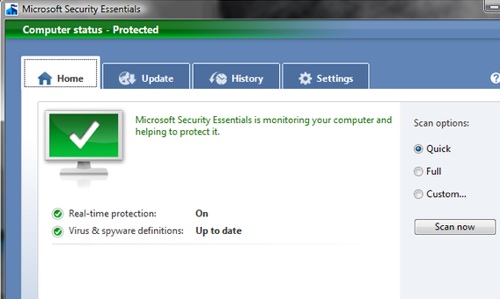
Security Essentials has a pleasing interface, is simple to use, and has appropriate defaults. Its warning pop-ups let you deal with an issue quickly or dig in for details. If Microsoft can improve the detection rate a bit--and rev up the scan speed more than a bit--before the program's final release, Security Essentials could turn out to be a real contender in the free antivirus arena.
Source : http://www.pcworld.com

 The latest outbreaks of Twitter and Facebook worms have once again shown that while antivirus and malware protection often focuses on dealing with threats once they have already landed on a user's computer, proactive protection is really the way to go on the net. The paid and free versions AVG 9, which launched today, include an enhanced link scanner that can handle shortened URLs and analyze a site in real time.
 AVG's CEO J.R. Smith told us last week the the company focused on a number of key issues in this new version: keeping pop-ups down, improving the scanning speed and keeping memory usage to a minimum so that the app would also run well on netbooks. In our own tests, AVG 9 was faster than the previous version, though we can't quite corroborate AVG's claim that the new version scans 50% faster.


